When a slice gets richer reporting
This is the small list. Some battlefield slices support denser reporting once you focus them. The diagram or table is the computation; the writeup that says what it means is the reading. Then go back to asking your own questions or pick a family from the question atlas.
That denser reporting shows up because you focused a subset where the reports line up that way — not because you recited a product name.
If your subset is not on this list, you still get a post-focus summary. That is enough to start step 4.
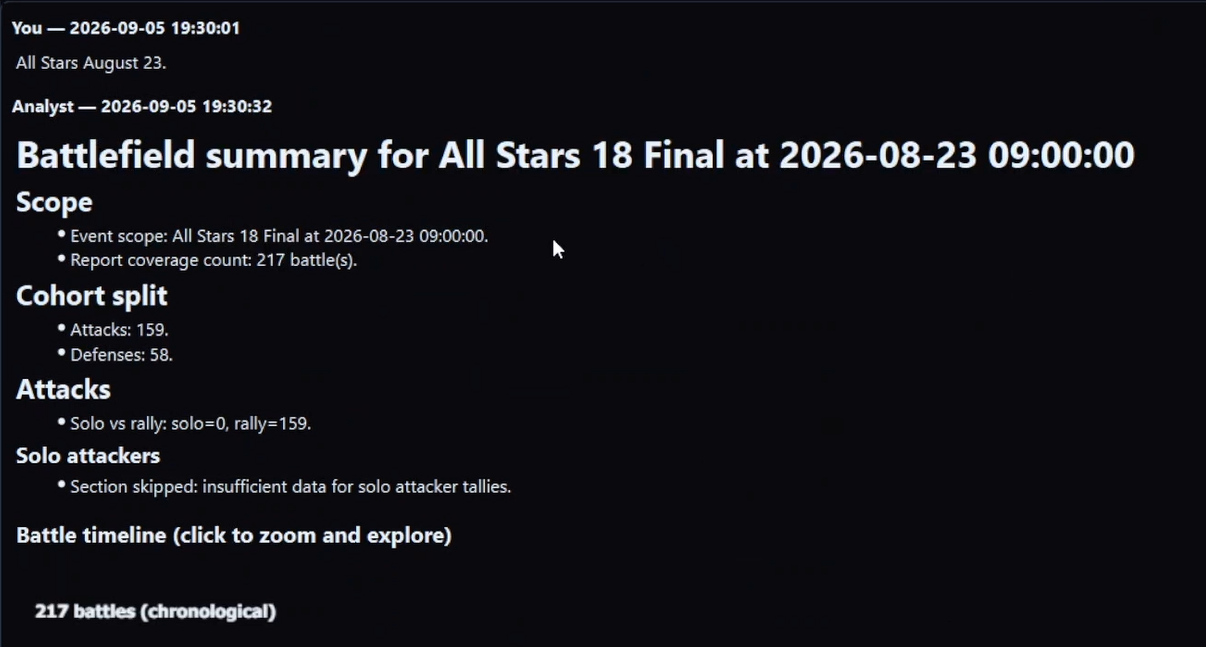
Whole battlefield
You asked to look at the event (selected the battlefield).
Default you may get: the first summary — standouts, where to look closer, honest gaps in the report set.
Then ask, for example: to cut any subset that summary made obvious.
One enemy keep you were hitting
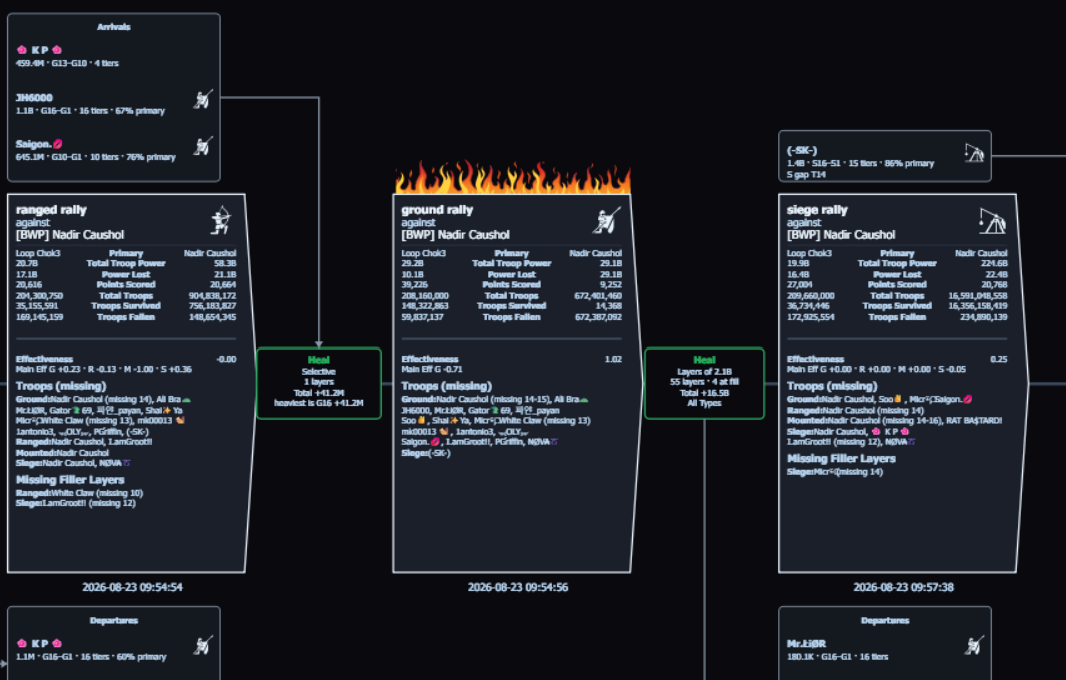
You asked to look at hits on that keep, from the attacker side.
Default you may get: a hit-sequence timeline — every imported hit in order, heals and movement in the gaps.
Then ask, for example: which hits paid for later ones; whether the type sequence matched what was left on the wall; which of our joins were already depleted by the later waves.
This is not a vantage switch onto the defender side of the same keep — say that explicitly if that is what you want.
One teammate's defenses
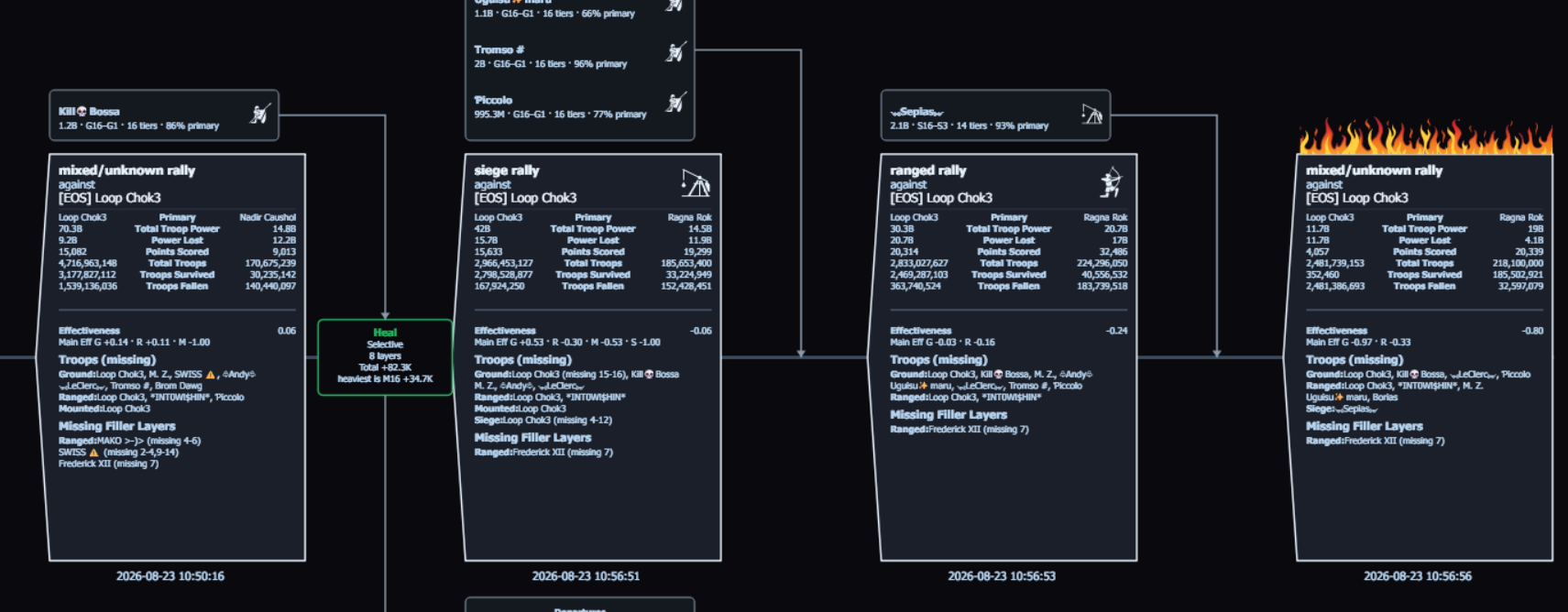
You asked to look at hits on their city, or that player’s defenses.
Default you may get: a sequence of incoming, healing, and reinforcement movement — including rein swaps and reins that were missing layers after they had been depleted.
Then ask, for example: which incoming type hurt; which reins gave up a lot of points for little return; whether main vs rein performance diverged; Effectiveness on a troop band in those holds.
The team’s rallies of one troop type
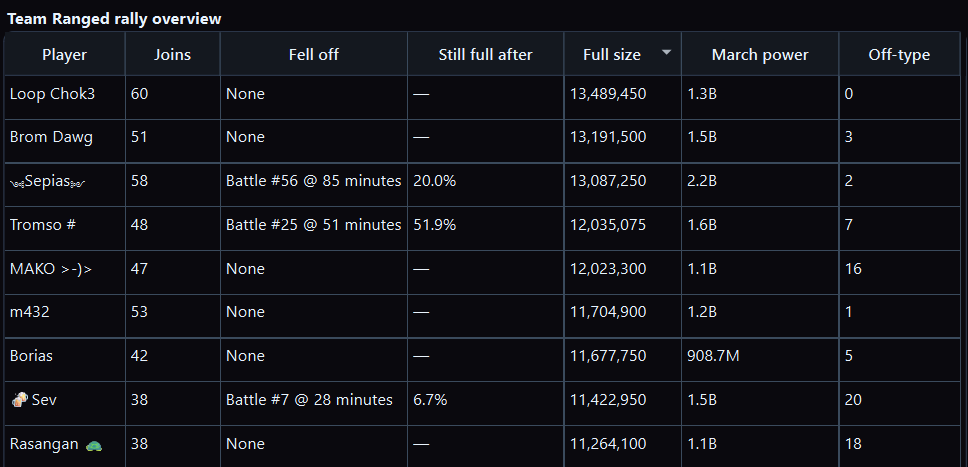
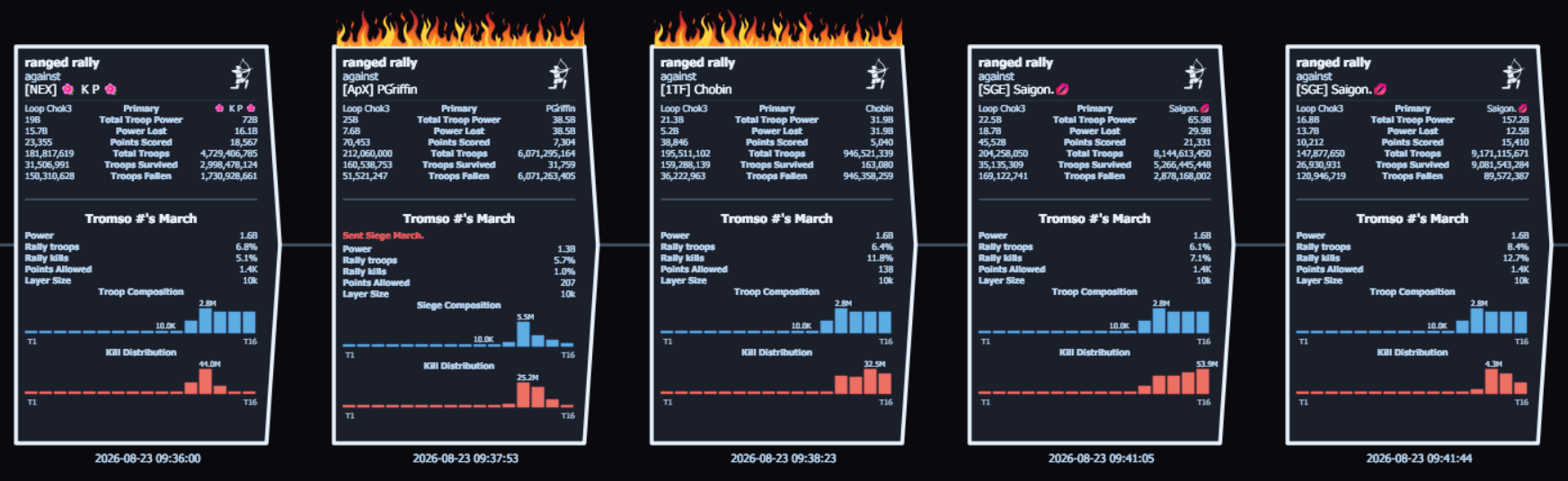
You asked to look at the team’s ranged (or ground / mounted / siege) rallies — not one player.
Default you may get: a table — who held a full march, who fell off, full vs depleted, how that showed up in Effectiveness and teammate-relative exchange. Not a keep timeline.
Then ask, for example: only the joiners who fell off before the midpoint; compare one type’s table to another by changing subset; open one player from the table and stay on them.
One player’s rallies of one troop type
You asked to look at that person’s joins into that type’s rallies.
Default you may get: how that series changed — headcount, depletion vs a march-size buff falling off, heals, what the rebound looked like.
Then ask, for example: whether later joins still traded; which tiers were substituted in; how they look next to the team table for the same type.
Everything else
Custom cuts, odd intersections, “only the ugly results,” main-vs-siege, a time window, a missing layer — you still get a summary of the slice, then your questions. That is the general case. See Path B.
These views are what the mailbox becomes.
Import the event, focus the subset, and Battlefield Analyst can give denser reporting on that slice — then you keep asking.
New customers can start with a 7-day trial. Plans start at $14.99/month with full feature access.