Tactica FAQ
Fast Read, automated import, Evony battle report analysis, and Tactica’s Battlefield Analyst — answered directly, including the limits. If you are here to work out what Tactica could tell you about reports you already have, the questions near the bottom are the ones to read. For the full workflow, see how Tactica works, how to analyze hundreds of Evony battle reports, and why one report is not enough.
Does Tactica automate battle report collection, or do I screenshot manually?
Tactica automates collection. Read / Bulk Read works with any ADB-compatible Android emulator and can import one report at a time or sweep a mailbox. Fast Read imports hundreds of full reports you favorited in Evony in minutes on MuMu without opening each report in the game. Both paths retain the main screen, buffs, and details. You do not manually screenshot every page.
Do I take dozens of screenshots per report?
No. A full report is not one opening shot: main, buffs, and details are many screens. Doing that by hand for a mailbox of reports is thousands of images. You do not screenshot the report, assemble a PDF, or pick a folder of images. Fast Read does not open each report in the game; it still captures the full main, buffs, and details data. Read / Bulk Read leaves Evony open in the emulator and walks those same screens. Tactica gets what it needs from the game, sends it to Tactica’s systems, and those systems do the heavy processing. You do not need to figure out what to upload or how.
What is Fast Read?
Fast Read imports full battle reports you favorited in Evony in minutes — hundreds from a battlefield, not a summary-only skim. It runs on MuMu and does not open each report in the game. It still captures the full main, buffs, and details data — the same numbers Read / Bulk Read walks screen-by-screen — without the OCR glitches that path has always had to contend with. Evony shows favorited reports in Saved; that is the mailbox Fast Read reads. Empty keeps are skipped. Capture can miss some reports; run Fast Read again and it continues without duplicates. Keep Tactica open until it finishes. Read / Bulk Read works with any ADB-compatible Android emulator. More on Fast Read.
Can I get reports into Tactica faster, and once they’re in, now what?
Those are the two questions Fast Read and Battlefield Analyst answer — ingest and analysis, both measured in minutes. Favorite the reports you want and Fast Read imports hundreds of full reports on MuMu without opening each one or screenshotting every page. A dedicated MuMu instance is enough if you play on another emulator; Read / Bulk Read works with any ADB-compatible emulator. Then point Battlefield Analyst at that one battlefield. The first summary shows what to look at more closely; you ask for that closer look — a hit-sequence timeline, hits on a teammate's city, the team’s rallies of one type, or another slice. Alliance view-only ($2.49/month) and Rally Squad (10 seats for $17.99/month) can ask Battlefield Analyst without importing; they do not need an emulator. Bringing new reports in still requires a full subscription.
What workflow does Tactica replace?
Two jobs that used to take a weekend. Ingest: Read / Bulk Read works with any ADB-compatible emulator; Fast Read imports hundreds of full favorited reports in minutes on MuMu without opening each report. Analysis: Battlefield Analyst summarizes that one battlefield, then you ask it to look closer — a hit-sequence timeline, a teammate’s defenses, the team’s rallies of one type, or another slice — in minutes. You do not shoot thousands of images, type a spreadsheet, or paste the pile into a general AI.
How long does Fast Read take?
Minutes for hundreds of full favorited reports — what Read / Bulk Read would take days to walk screen-by-screen. Fast Read is a different import path on MuMu, not seconds-per-report marketing. Watch a full, real-time Fast Read of 61 battlefield reports (including upload).
Does Fast Read work on BlueStacks / any emulator?
Fast Read is supported on MuMu and does not work on BlueStacks. A dedicated MuMu instance just for Fast Read is enough. Tactica does not sell or support the emulator. Download MuMu Player from the official site: https://www.mumuplayer.com/. Read / Bulk Read works with any ADB-compatible Android emulator.
Which mailbox does Fast Read use?
Favorite the reports you want to import. Evony shows favorited reports in Saved, and that is the mailbox Fast Read reads. Fast Read does not yet read Battlefield, PvP, or the other mailboxes. Read / Bulk Read works with any ADB-compatible emulator when you want the UI-driven import path.
How long does it take to scan a battle report?
There are two import paths. Read / Bulk Read works with any ADB-compatible emulator, walks every screen of each report — main, buffs, and details — and takes minutes per report, not seconds. Fast Read imports hundreds of full favorited reports in minutes on MuMu. Read / Bulk Read time depends on participants (attackers plus defenders) and troop layers. Rally cards will keep you joining monster rallies while you use that path, and the alliance option lets you spread the work across multiple accounts.
How many reports can Tactica handle from one battlefield?
There is no published cap on how many reports you can store. Tactica keeps battle reports indefinitely. Tactica’s Battlefield Analyst focuses on one battlefield at a time. The more of that battlefield’s battles you scan into Tactica, the more useful the library and the Analyst are.
How accurate is the parsing (troop tiers, buffs, casualties)?
Tactica stores full report data: troop type and tier (layers), survived, killed, wounded, deserter, holy palace, killing, generals, and buffs. It is not a summary-only rollup. Fast Read captures that main, buffs, and details data without opening each report and without the OCR glitches Read / Bulk Read has always had to contend with. You can review each report in your library after it is imported.
Can I export the parsed data (CSV/JSON)?
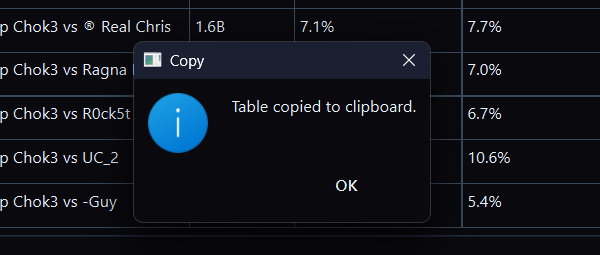
Tactica does not offer a CSV or JSON dump of the report library. Reports are stored in a proprietary format. Tables generated in Battlefield Analyst include a copy button so you can paste the table into a spreadsheet.
Should I put Evony battle reports in a spreadsheet?
A spreadsheet of troop counts from one fight can be useful. It does not scale to a battlefield’s worth of reports, and it rarely captures buffs, layers, or reinforcement movement. Tactica imports full reports into a library; Battlefield Analyst then runs analysis across that battlefield or a slice of it. Tables in the Analyst include a copy button if you want a slice in a sheet. There is no CSV or JSON dump of the library.
What is Tactica’s Battlefield Analyst?
Tactica’s Battlefield Analyst turns a loaded battlefield’s reports into custom analysis and enriched views — in minutes — so teams can see what was always in the data but nearly impossible to see by reading reports one at a time. You start by telling it which battlefield to look at; it immediately summarizes what is there. From that, you describe the analysis you want in plain language. Chat is how you ask; Battlefield Analyst is the product.
Does Battlefield Analyst have a menu of analysis buttons?
No. You do not pick an analysis report from a ribbon. You tell Battlefield Analyst which battlefield to look at, read the first summary, then ask for the closer look in plain language. Chat is how you ask; Battlefield Analyst is the product.
Where can I learn how to use Battlefield Analyst?
The Battlefield Analyst cookbook walks the loop: select a battlefield, name a slice, read the summary, then ask what you want to know. It is not the Windows app and not a menu of reports. https://www.tactica-ai.com/cookbook.html
What can Battlefield Analyst show that reading reports cannot?
You identify what you want found in the data, and Battlefield Analyst works with you in plain language to design fully custom analysis — not a fixed menu of reports. That holds whether you are looking at 2 reports or 200 from the same battlefield; ordinary reading cannot practically do either at this depth. Examples such as a defense timeline (incoming attacks, healing, and every reinforcement movement, including rein swaps and missing layers) or an attack sequence breakdown show the class of view that becomes possible. Nothing in those views is new data — it was all in the reports, spread across fights that were never readable together. The power is that you specify the question, and the Analyst finds it in the structured library.
How long does a complex battlefield analysis take?
Only minutes.
Is this the same as uploading reports to ChatGPT?
No. Pasting a few report screenshots into a general AI is not the same class of tool. Tactica imports reports into a structured battlefield library. Battlefield Analyst starts from a body of Evony battle-mechanics knowledge that is typically better than that of the average player. Its power is in how it plans custom analysis over that data and builds enriched views of team and player behavior. Your reports stay in your Tactica library; the Analyst runs on that data in Tactica’s own systems — not by uploading reports to a public chatbot.
Can ChatGPT analyze my Evony battle reports?
You can paste a few screenshots and get a summary of those images. That is still one fight, or a handful, not the battlefield. Tactica imports the full reports into a structured library. Battlefield Analyst runs custom analysis over that one battlefield in Tactica’s own systems — not by uploading reports to a public chatbot.
Does Battlefield Analyst send my reports to ChatGPT or another public chatbot?
No. Your reports stay in your Tactica library. Battlefield Analyst runs on that data in Tactica’s own systems. It is not the same as uploading reports to a public chatbot. Chat is only how you ask.
How do I analyze an Evony battle report?
Reading one report well — matchup, buffs, layers, exchange — is real work, and it is still only one fight. A battlefield is not one battle; it is dozens or hundreds of battles. Looking at a single report in isolation misses insights that appear only across the body of data, or across a slice of it: a team's ranged rallies, one player's defenses, reinforcements in and out of one city. Those patterns are what you use to develop the account and the next event's plan. Tactica imports the battlefield's reports into a library; Battlefield Analyst then runs custom analysis over that one battlefield. Why one Evony battle report is not enough.
How do I analyze hundreds of Evony battle reports?
Load the battlefield’s reports into Tactica. Read / Bulk Read works with any ADB-compatible emulator. For the faster path, favorite the reports you want and Fast Read imports hundreds of full reports on MuMu in minutes. Then point Battlefield Analyst at that battlefield. The first summary shows what is worth a closer look. Ask it to look at that more closely — a keep you kept hitting, incoming attacks on a teammate's city, or another slice — and it builds views such as a hit-sequence timeline from the structured library. Analysis is one battlefield at a time. There is no CSV or JSON dump of the library. Step-by-step: how to analyze hundreds of Evony battle reports.
How does Tactica show a sequence of hits on one Evony keep?
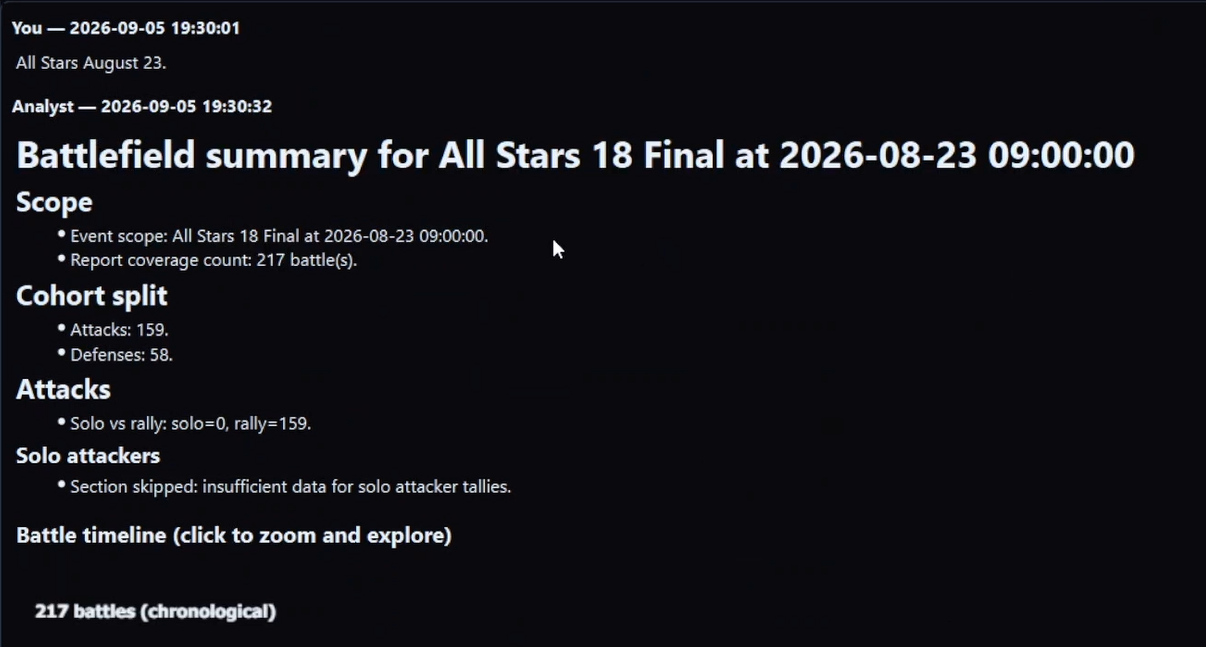
After reports are in the library, point Battlefield Analyst at that battlefield. The first summary is how you see which enemy keep you kept hitting, or whose city took repeated hits. Ask for that closer look and the Analyst can build a hit-sequence timeline: every hit on that keep, in order, with heals and movement between them. That is the analysis of that slice, not a picture you paste into a general AI.
How do I review a battlefield after it ends?
Right after the battlefield, favorite the reports you care about and use Fast Read on MuMu to import them; after the first-time setup a battlefield pass is typically 5–10 minutes. A rally setter is in every rally they set, so favoriting those reports can bring the team’s rallies into Tactica. Then the team asks Battlefield Analyst while the fight is still fresh. The whole ritual is about 10–20 minutes. Alliance view-only is $2.49/month; Rally Squad is 10 seats for $17.99/month.
How do I know if my troops or rallies are actually working?
One good or bad fight is not enough. Look across the battlefield, or across a slice: a team’s ranged rallies, full joins versus dust, a troop type’s return versus what it put at risk. Tactica Effectiveness is that cost–benefit; the in-game scoreboard shows points scored, not points given up. Ask Battlefield Analyst in plain language over the loaded battlefield.
What is Effectiveness in Tactica?
Tactica Effectiveness is a cost–benefit metric for how troops performed in an Evony fight: what they returned relative to what they put at risk — not the in-game scoreboard. Higher is better. Around zero is break-even. It can be computed for a march, a teammate, or a slice of troop types and tiers.
How do I measure the effectiveness of different troops in Evony?
Evony’s scoreboard shows points scored, not points given up, so you cannot read troop cost–benefit from the game alone. Tactica Effectiveness measures it as (approximate points scored − points given up) ÷ (points you would give up if those troops were a total loss). After the battlefield’s reports are in Tactica, you can compare troop types and tiers — for example Ranged T12–T14 versus Mounted T1–T4 — or teammates. Ask Battlefield Analyst in plain language; it runs on that library in Tactica’s own systems.
Is Effectiveness the same as points scored?
No. The in-game scoreboard shows points scored and does not show points given up. Effectiveness uses both. Points given up and the total-loss cost of those troops are exact; points scored on a slice are a kill-share estimate. Effectiveness is not exact points scored, and it is not a reconstruction of the whole scoreboard.
Why can a smaller march beat a larger one on Effectiveness?
Effectiveness is return versus what that march put at risk, not total points scored. A smaller march that trades well can outrank a huge one that scored more points but risked far more. A tiny slice with a high number is not automatically more important than a large-stake slice with a slightly worse number.
What is the difference between Effectiveness and Exchange Ratio?
Effectiveness is that slice’s own cost–benefit against what it risked. Exchange Ratio is teammate-relative: kill share divided by points-given-up share. Exchange Ratio can move when a dusty teammate joins even if your own march did not change. The old name “Effectiveness Ratio” is retired; that metric is now Exchange Ratio.
Can I ask Battlefield Analyst for a measure I define?
After you focus a slice, you can ask for a combination of the library’s measures using plus, minus, times, divided by, and constants, and you can name that column. You can ask for the lowest, typical, highest, and spread of that measure the same way as a built-in. Prefer Tactica Effectiveness when that is what you mean. You cannot invent the in-game scoreboard from kill counts. If a divide is undefined, Tactica shows no number.
What are the system requirements?
Tactica is a Windows 10 or Windows 11 desktop application. Read / Bulk Read requires any ADB-compatible Android emulator with Evony running. Fast Read currently requires MuMu and imports reports you favorited in Evony. Alliance view-only members do not need an emulator. 4GB RAM minimum (8GB recommended), about 200MB of free storage, and internet for account setup and cloud sync.
How much does it cost / is there a trial?
Basic is $14.99/month after a 7-day trial for new customers. It is the full Tactica product, with access to all features and an included monthly AI allocation. Higher plans provide more AI capacity for players and alliances importing and analyzing full battlefields several times a week. Additional AI capacity is also available when needed. Alliance view-only is $2.49/month; Rally Squad is 10 seats for $17.99/month. Cancel anytime. Download Tactica to start.
How does the alliance view-only plan work?
For $2.49/month, alliance view-only members can use the shared library and read or write notes on reports that teammates on full Tactica have captured. They do not need an emulator. Rally Squad is 10 of those seats for $17.99/month — about 28% less than ten individual $2.49 seats. Importing new battlefield reports into the alliance still requires a full subscription.
How do I share full battle reports with my alliance?
If multiple users from the same alliance subscribe, they can join up in Tactica and share one library of reports. Notes and full battle details live there, not just an opening screenshot. View-only is $2.49/month; Rally Squad is 10 seats for $17.99/month. Those seats do not need an emulator; bringing new reports in still requires a full subscription.
What is Rally Squad?
Rally Squad is 10 alliance view-only seats for $17.99/month — about 28% less than ten individual $2.49 seats ($24.90). Those seats use the shared library and notes and can ask Battlefield Analyst; they do not need an emulator. Importing new battlefield reports still requires a full subscription.
When did our rallies turn into dust?
A depleted march is no longer a full march. Headcount can hold while the tier mix gets worse. Headcount can drop because a march-size buff ended. Someone can heal and come back as a different march. Those are not one story. Players sometimes call that dust. On your team’s rallies of one troop type, Battlefield Analyst shows who never fell off and who fell off at a battle and a minute, then one player’s joins in order. A late small march is not “they never healed.” When did our rallies turn into dust.
Who actually traded well on our Evony rallies?
The in-game scoreboard shows points scored, not points given up. Effectiveness is what a march returned against what it put at risk. Exchange Ratio is kill share divided by points-given-up share, and it can move because a teammate’s march was depleted. Being on every full march is a different column. Points scored on a slice are a kill-share estimate. Who actually traded well on our rallies.
What happened to that Evony keep between hits?
Line up every imported hit on that keep. Setup Atk Eff is that rally’s own exchange. Later Atk Eff is whether the rallies after it traded better. A hit can look flat or negative on its own exchange and still be the one that stripped a layer the later rallies needed. A missing report in the middle is a hole, not proof that nothing happened. Which hits on that keep actually mattered.
How does alliance sharing and coordinated bulk read work?
If multiple users from the same alliance subscribe, they can join up in Tactica to share their library of reports and split responsibility for reading reports into the system. If connected members set up bulk reads of the same battlefield at the same time, Tactica coordinates between them so the same report is not scanned twice.
The open question is what is in your own reports.
That one is not answerable from this page. Download Tactica and start the 7-day trial — Fast Read the favorited mailbox, then ask Battlefield Analyst while the fight is still in people’s heads.
Plans start at $14.99/month with full feature access; higher-usage plans are available. How to analyze hundreds of reports.
Evony keep hit-sequence timeline · After-action review after an Evony battlefield · Why one Evony battle report is not enough · What is Fast Read? · How Tactica works · How to measure Evony troop Effectiveness · How to analyze hundreds of Evony battle reports · Battlefield Analyst cookbook · Download Tactica