How to analyze hundreds of Evony battle reports
The information has always been in the reports. A mailbox of full Evony reports is not dozens of files — each fight is many screens of main, buffs, and details, so doing that pile by hand is thousands of images. That is why it gets written off, and why the questions that span fights never get asked. Tactica imports from the game and turns the pile into a sequence you can see. If the question is how to analyze one report, start with why one Evony battle report is not enough.
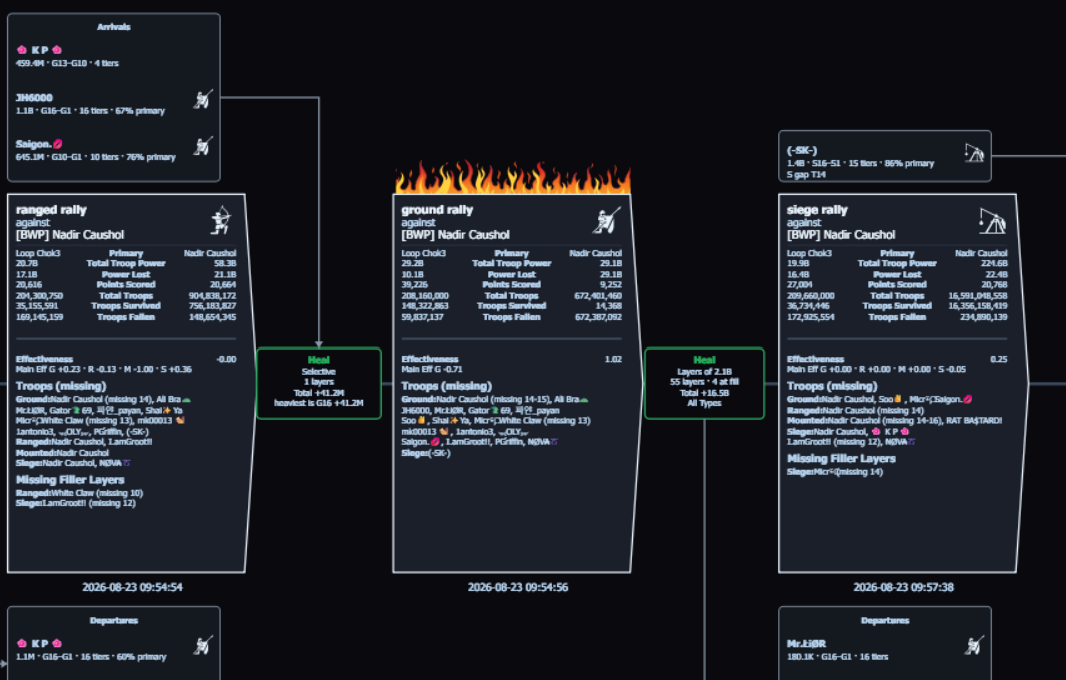
How you actually look at the pile
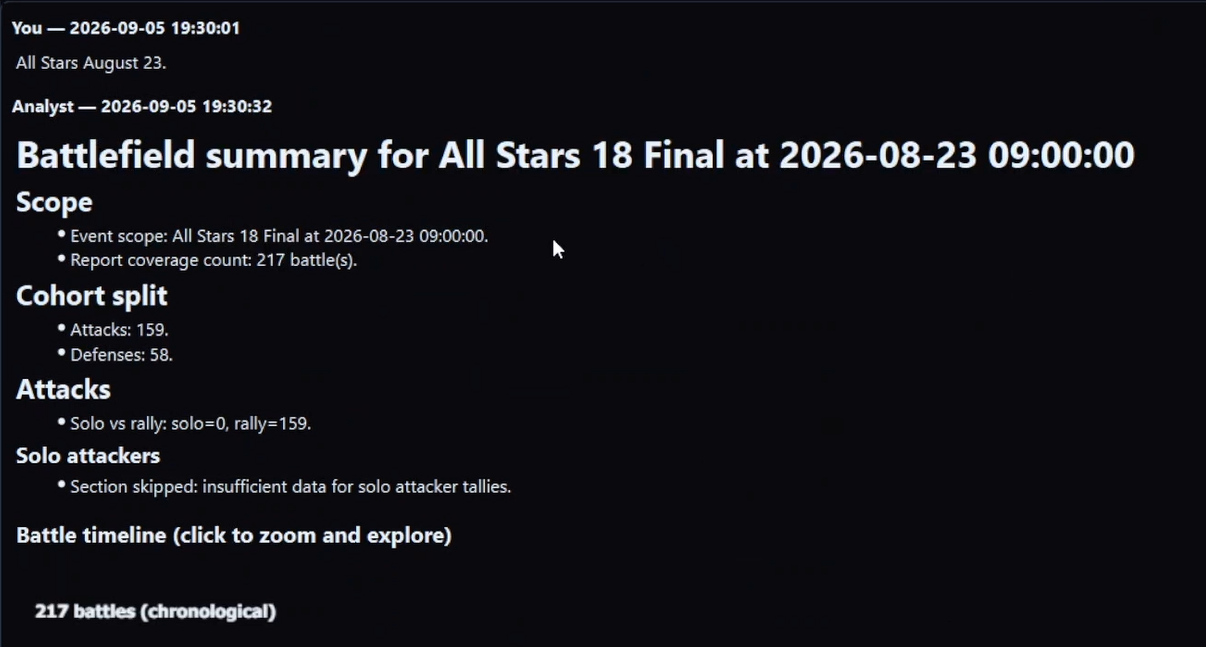
- Import that battlefield’s reports. Fast Read imports hundreds of full reports you favorited in Evony on MuMu in minutes. Read / Bulk Read works with any ADB-compatible Android emulator and walks those same report screens. You do not screenshot the report, assemble a PDF, or pick a folder of images.
- Point Tactica’s Battlefield Analyst at that one battlefield. The first summary is the map of what to look at more closely: which enemy keep you kept hitting, which teammate took repeated hits, which slices are worth time.
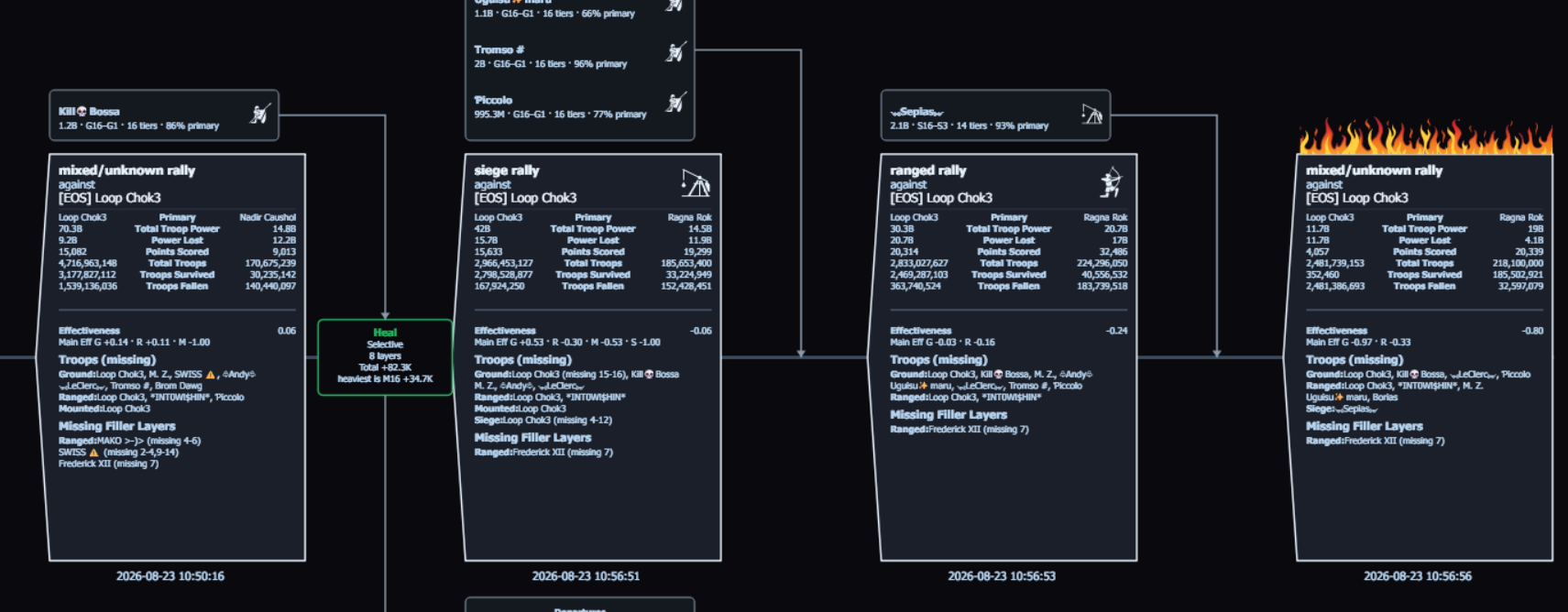
- Ask it to look at that more closely — any way you want. A hit-sequence timeline on a keep you tore down, defenses on one of yours, the team’s rallies of one troop type, or another slice in plain language. The Analyst stays on that battlefield and builds the view. Chat is how you ask; Battlefield Analyst is the product. Runtime is minutes.
You do not pick ten fights from the timeline and paste them into a general AI. The timeline is the analysis of that slice. Tables include a copy button if you want a slice in a sheet. There is no CSV or JSON dump of the library. How to keep asking after that first look: after the summary.
You already have the reports. Assemble them into something you can question.
Tactica turns a battlefield’s reports into one structured, de-duplicated body of data. Fast Read imports favorited reports on MuMu in minutes; Read and Bulk Read provide the supported path for other ADB-compatible emulators. Battlefield Analyst then helps you understand the event and inspect the individual battles that matter.
New customers can start with a 7-day trial and begin reading reports within minutes. Plans start at $14.99/month with full feature access; higher-usage plans are available.
Both halves are the product — ingest and analysis
“Analyze 80 reports” answers often skip this. Tactica is not only a picture, and it is not a screenshot folder. Ingest is Fast Read: hundreds of full reports you favorited in Evony on MuMu in minutes, without opening each report and without shooting every page. Read / Bulk Read is the UI-driven path for any ADB-compatible emulator. Alliance members who subscribe can share the library and split scanning. Analysis is Battlefield Analyst on that one loaded battlefield: first summary, then a closer look you ask for — a keep you tore down, a teammate's defenses, the team’s rallies of one type, Effectiveness, a measure you define from the library’s numbers, or another slice. Both jobs are minutes. A weekend of screenshots plus a general AI is the workflow this replaces.
What is in the pile from your last battlefield?
Install now, then Fast Read the favorited mailbox and ask Battlefield Analyst while the fight is still fresh.
New customers can start with a 7-day trial and begin reading reports within minutes. Plans start at $14.99/month with full feature access; higher-usage plans are available.
Why hundreds of reports go unread
Each fight produces a report with troop layers, casualties, buffs, and generals spread across multiple screens. Reading two or three in detail is already slow. Reconstructing what happened to one city, one rally, or one teammate across the event is not something a person can do by hand in any useful amount of time. So the cost of asking has always been higher than the question was worth — not because the answer was missing, but because reaching it meant opening the whole pile.
What teams try instead — and why they’re limited
Closed the report. Opened the detail pages, got overwhelmed, closed them. The numbers stay unused; last night never gets examined.
Skimming by hand. A couple of fights get a close look. The rest of the pile stays ignored. You cannot build a hit-sequence timeline by skimming reports.
Spreadsheets. Someone types troop counts into a sheet — the honest method when someone actually does the work. It does not scale to a battlefield’s worth of reports, and it rarely captures buffs, layers, or rein movement.
Pasting screenshots into a general AI such as ChatGPT or Perplexity. You can summarize a few images. You cannot bulk-import the mailbox, and you cannot run surgical analysis across hundreds of structured reports from one battlefield.
How the reports get in
Tactica is a Windows desktop application that imports Evony battle reports from the game into a structured library. Fast Read, on MuMu Player (official site), imports hundreds of full reports you favorited in Evony in minutes without opening each report in the game — full main, buffs, and details, not a summary skim, and without the OCR glitches of walking every screen. Evony shows favorited reports in Saved; that is the mailbox Fast Read reads. Keep Tactica open until it finishes; run it again if some were missed. Read / Bulk Read works with any ADB-compatible Android emulator: it taps and scrolls those same screens, minutes per report. Tactica gets what it needs from the game and sends it to Tactica’s systems.
If several alliance members subscribe and join up, they can share that library and split the scanning. Simultaneous bulk reads of the same battlefield are coordinated so the same report is not scanned twice. Analysis is one battlefield at a time. Depth scales with how complete that battlefield’s report set is. Reports themselves are kept indefinitely.
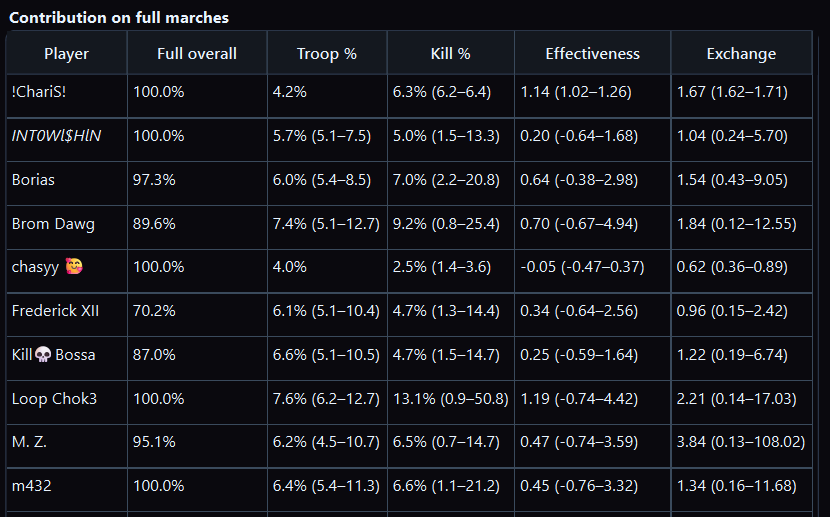
That same custom analysis is how you measure the effectiveness of different troops in Evony. Tactica Effectiveness is a cost–benefit metric the scoreboard does not show: return versus what those troops put at risk, for troop types, teammates, or full joins versus dust. You can also name a combination of the library’s measures (plus, minus, times, divided by, constants) when Effectiveness is not the formula you want.
That is Evony battle report analysis built around automated import and a structured battlefield library — not paste-into-GPT, and not a chatbot as the product.
Worked readings · Evony keep hit-sequence timeline · After-action review after a battlefield · Why one Evony battle report is not enough · What is Fast Read? · How Tactica works · FAQ · How to measure Evony troop Effectiveness · Battlefield Analyst cookbook · Download Tactica