How Tactica shows a sequence of hits on one Evony keep
The hits on one keep are already a sequence. They just reach you as separate reports, each one many screens of main, buffs, and details — so lining up a whole tear-down by hand is thousands of images. Tactica imports from the game and turns the hits on one keep into a single sequence you can see.
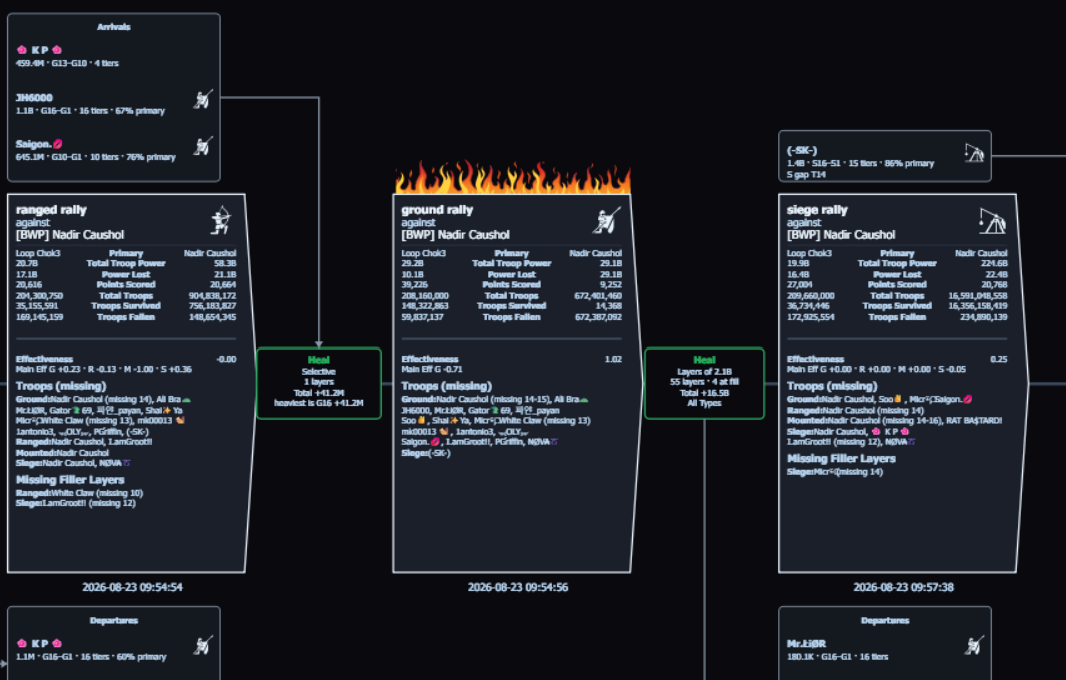
This picture is the tear-down, not a preview for ChatGPT
The timeline above is an attacker closer look: your team kept hitting the same enemy keep, trying to break it over time. Arrivals, siege and ranged rallies, heals in the gaps, a port, departures — that is hours of mailbox in one view. Evony does not show that. Pasting opening screenshots into a general AI does not either.
Every arrival, heal, port, and departure in that picture came out of reports that were already sitting in the mailbox. None of it is new information. What was missing was any practical way to see those hits as one sequence instead of as a dozen separate fights.
The picture is the analysis of that slice. You do not export the mailbox to rebuild it in a spreadsheet or a public chatbot. Tables in Battlefield Analyst include a copy button if you want a slice in a sheet. There is no CSV or JSON dump of the library.
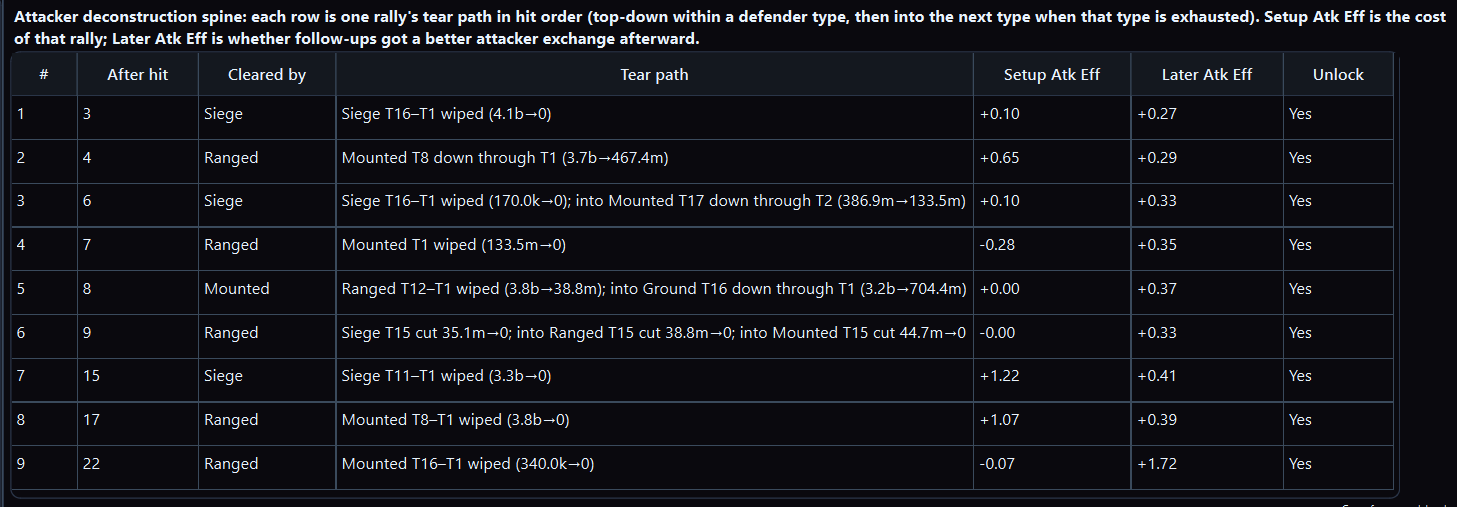
Watch it built: the 26-second attack sequence video.
How you get to this view
- Import that battlefield’s reports into Tactica. Fast Read imports hundreds of full reports you favorited in Evony on MuMu in minutes. Read / Bulk Read works with any ADB-compatible Android emulator and walks those same screens.
- Point Tactica’s Battlefield Analyst at that one battlefield. The first summary is the map: which enemy keep you kept hitting, which teammate took repeated hits, what is worth a closer look.
- Ask it to look at that more closely. For a keep you tore down, that is the hit-sequence timeline. You can also ask for a teammate’s defenses, the team’s rallies of one troop type, or any other slice in plain language. Chat is how you ask; Battlefield Analyst is the product. Runtime is minutes.
You do not guess which ten fights matter and then leave Tactica. The summary names the keep. The Analyst stays on that battlefield and builds the closer look. The timeline is a landing, not the finish. What to ask while still on that keep: one keep, then questions.
Do not skip the ingest half. Fast Read is what makes the mailbox a library in minutes — hundreds of full reports, no opening each one, no shooting every page. Without that, there is no timeline. The product is both: streamlined ingest, then streamlined analysis.
The other keep is a different story
When a member of your own team takes repeated hits, that is a separate closer look: incoming hits on their keep. Attacker and defender look at the same battle from different vantages; a different city is a new focus, not a silent vantage switch on the enemy keep above. The first summary is how you see both standouts. How to analyze hundreds of Evony battle reports is the path for a whole mailbox. Why one Evony battle report is not enough is why a single fight is the wrong unit.
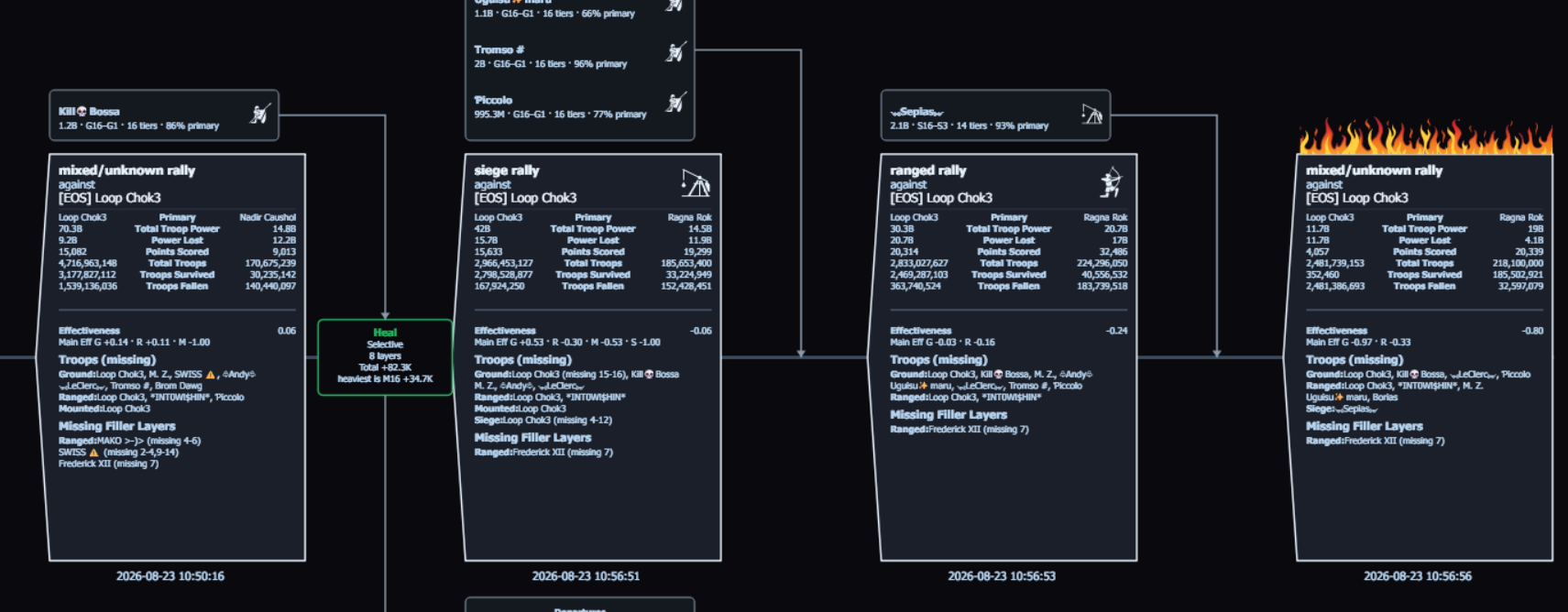
Which of your hits actually opened that keep?
The reports from your last tear-down can answer that. Fast Read loads the favorited reports in minutes. Battlefield Analyst builds the sequence you ask for. Both halves are minutes.
New customers can start with a 7-day trial and begin reading reports within minutes. Plans start at $14.99/month with full feature access; higher-usage plans are available.
How to analyze hundreds of Evony battle reports · Why one Evony battle report is not enough · How Tactica works · What is Fast Read? · FAQ · After-action review after a battlefield · Battlefield Analyst cookbook · Download Tactica