Battlefield Analyst cookbook
Chat is how you ask. Battlefield Analyst is the product. After a battlefield is in the library, you name a slice, then ask — measures, a combination you define, sequences, why a row looks wrong. There is no menu of report buttons.
The game never reports who actually traded well on last night’s incoming. You focus those defenses, then ask. That used to be a weekend of opening reports. It is a named slice and a question. If you have not imported a battlefield yet, start with a worked reading — what the question found — then come back here for how to ask it on yours.
After you focus any slice you can name, you can ask questions that used to be too expensive to answer at all — keep sequences, rein movement, dust vs a full march, layer cost–benefit, custom piles that will never have a button. Depth still tracks what was imported. Missing reports stay missing. You still have to name the slice and the thing you want to know.
See what one of those questions found.
The loop below is how you drive Battlefield Analyst after a battlefield is loaded. The readings are what that looks like when the reports are already in: which keep hits mattered, when marches were depleted, who traded well.
New customers can start with a 7-day trial. Plans start at $14.99/month with full feature access.
The loop
The Analyst is built to change focus, then answer your questions on that focus. A battlefield is dozens or hundreds of fights. You cannot usefully ask every interesting question against the whole pile at once.
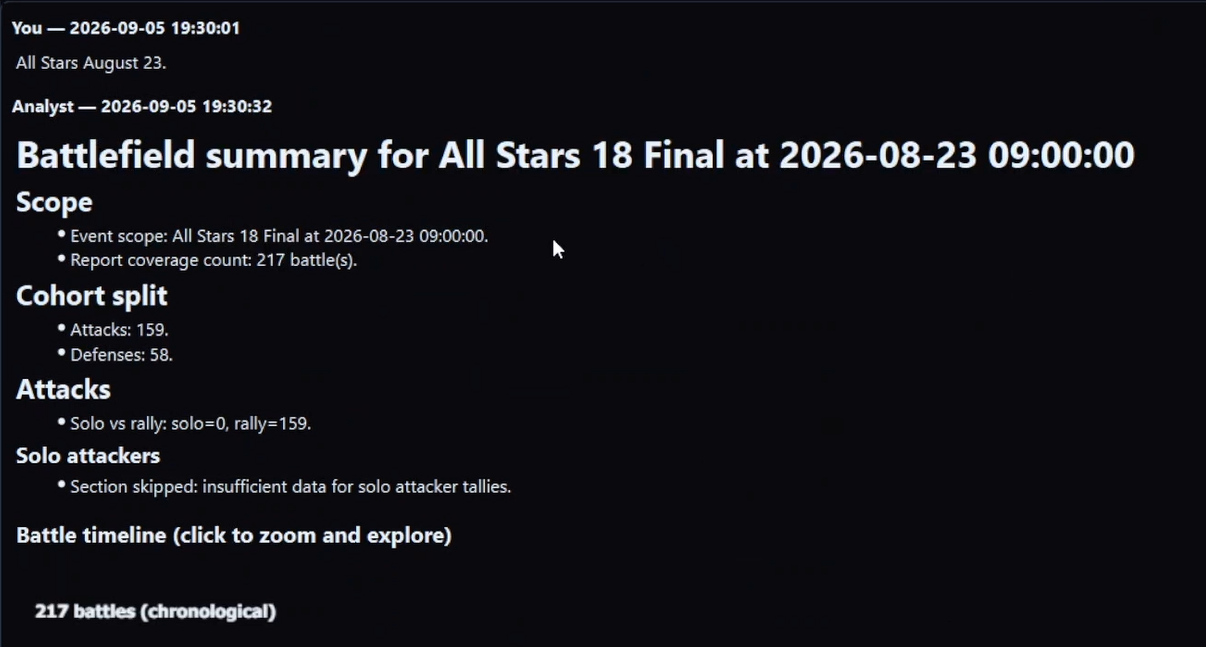
- Select a battlefield. You get a first summary — a map of what is in the reports, and what is worth a closer look.
- Name a subset in plain language, and stack the cuts. Our team vs incoming. Attacks or defenses. Solos or rallies, of any type or one type. A person in a job. A keep, a window, a combination. How to narrow the pile.
- Read the summary after the Analyst shifts to that subset. For a few well-worn subsets, that slice also gets richer reporting on the way in. Useful. Not the ceiling.
- Ask what you actually want to know about the current focus. Layer-backed measures, a combination you define, lowest / typical / highest / spread, down to a single layer, in the table shape you want. Numbers and shapes. This step is the system.
If you only learn the slices that already look dense on the way in, you are using a fraction of it.
Start here
| Read | Why |
|---|---|
| The core loop | How you drive: focus, then ask |
| Why this used to be impossible | Scale — why those questions were fantasies |
| What not to expect | Not a chatbot, not a ribbon, not omniscience |
| Question atlas | What it is worth asking |
| What the Analyst is | Not a chatbot, not a report menu |
| Naming a subset | How to narrow the pile |
| Numbers and shapes | Measures, comparisons, grain, table shape |
| Numbers, and the reading | Tables vs judgment |
| After the summary | Step 4 is the system |
| Staying vs moving | Same slice vs a new pile |
| Kinds of answers | Tables, timelines, comparisons |
| Worked readings | What one of those questions found on a real battlefield |
| Recipes | Short worked loops |
What this is
- Teach the loop so you do not stop at “summarize the battlefield” or “pick an analysis report.”
- A useful next step is always a named subset plus a specific question from the atlas.
- Show the scope of questions the library will support — including cuts people talked themselves out of because the hand work was impossible.
- Worked recipes and atlas cards: situation, focus, questions next — not magic phrases.
It is not a CSV or JSON dump of the library. Tables in the Analyst have a copy button. Common slices that get denser reporting are listed once so you recognize them. They are not the catalog.
Pricing, Fast Read, and seats: download and FAQ.
Additions
If you found a cut or a follow-up others can reuse, describe it on Discord. Use a battlefield you actually ran. Do not send other players’ screenshots or identifiable report dumps without consent. These pages are CC BY 4.0.
The loop only works on reports you imported.
Read the cookbook so you know what to ask — then Fast Read a real battlefield and run the loop on your own mail. That is the conversion from “I get it” to “we use it.”
New customers can start with a 7-day trial. Plans start at $14.99/month with full feature access.
Worked readings · How Tactica works · FAQ · Effectiveness · How to analyze hundreds of Evony battle reports · Download Tactica