What Battlefield Analyst is
Tactica’s Battlefield Analyst turns a loaded battlefield’s reports into custom analysis and enriched views — in minutes — so you can see what was always in the data but nearly impossible to see by reading reports one at a time.
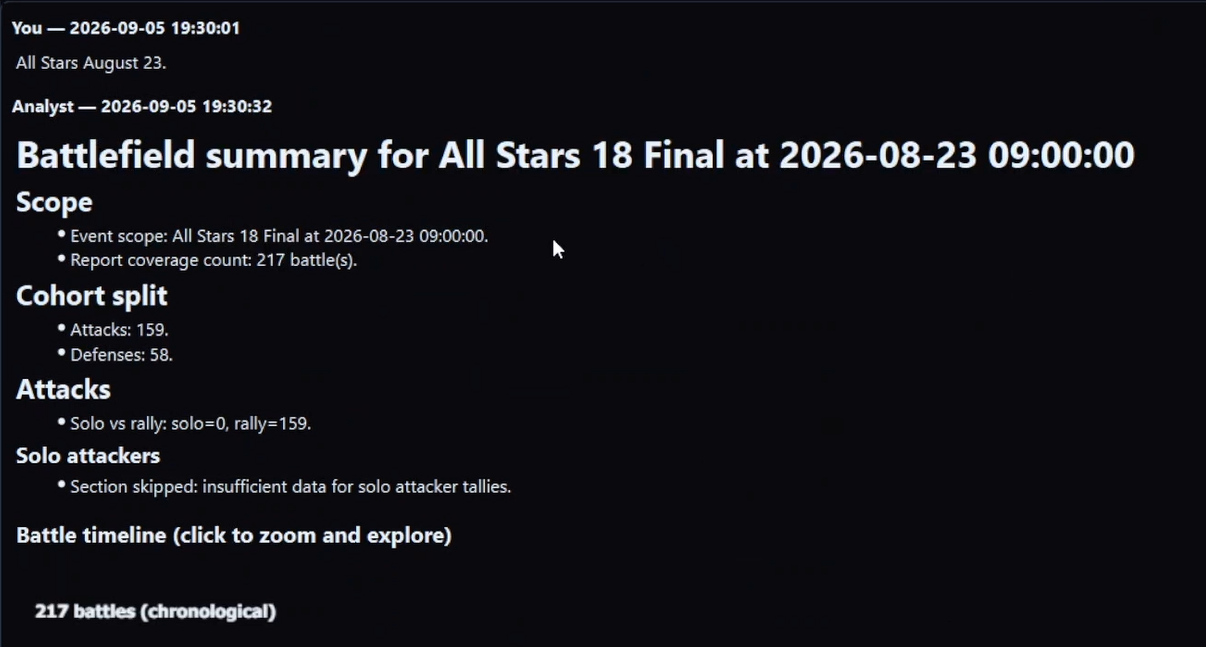
Why it is designed as a loop, not a menu
A battlefield leaves a large quantity of reports. Most teams ignore most of them. A menu of five official writeups would still ignore most of what that set can answer.
So the Analyst is built as a focus machine plus an analyst:
- Hold one battlefield.
- Let you put any nameable subset of those fights in the foreground.
- Show you what is in that foreground.
- Plan and run the analysis you ask for on that foreground — not a fixed report, not a paraphrase of a screenshot. That includes computing the table and reading what it means for the question (numbers, and the reading).
Some slices (keep timeline, team rally-type table, one player’s rally series, a defense-with-reins timeline) support denser reporting once you focus them. They sit on top of the same loop. They do not replace step 4. The ceiling is the same loop taken seriously: any pile you can name, then an honest question on that pile — not a longer ribbon of official reports. The question atlas is the picture of how large step 4 can be. Numbers and shapes is the picture of how far a table on that step can go — down to a layer, in the row shape you ask for.
Structured library first
Capture and structure came first. The Analyst is not reading a folder of images you uploaded. Tactica already holds troop layers, buffs, details, participants, and the rest of a full report. That is why a custom question can produce a table or a timeline across dozens of fights instead of a caption of one opening screenshot.
How reports get in (Read / Bulk Read on any ADB-compatible emulator, or Fast Read for favorited reports on MuMu) is documented on how Tactica works. This cookbook assumes they are already in.
Chat is the interface
You describe the subset and the question in plain language. That is not the category. The category is battlefield analysis.
You do not need a secret vocabulary. You do need to be specific enough that “ranged” means the slice you think it means. Naming a subset and staying vs moving are the only “technique” most people need.
What you get back
Not only a paragraph. Views you can study: sequences, movement, comparisons, tables you can copy. Kinds of answers.
A concrete class of view (from the product’s own example): ask to look at a teammate’s defenses and you can get incoming attacks, healing, and every reinforcement movement in and out of that city — rein swaps, missing layers after depletion — in a form a report-by-report read does not practically assemble.
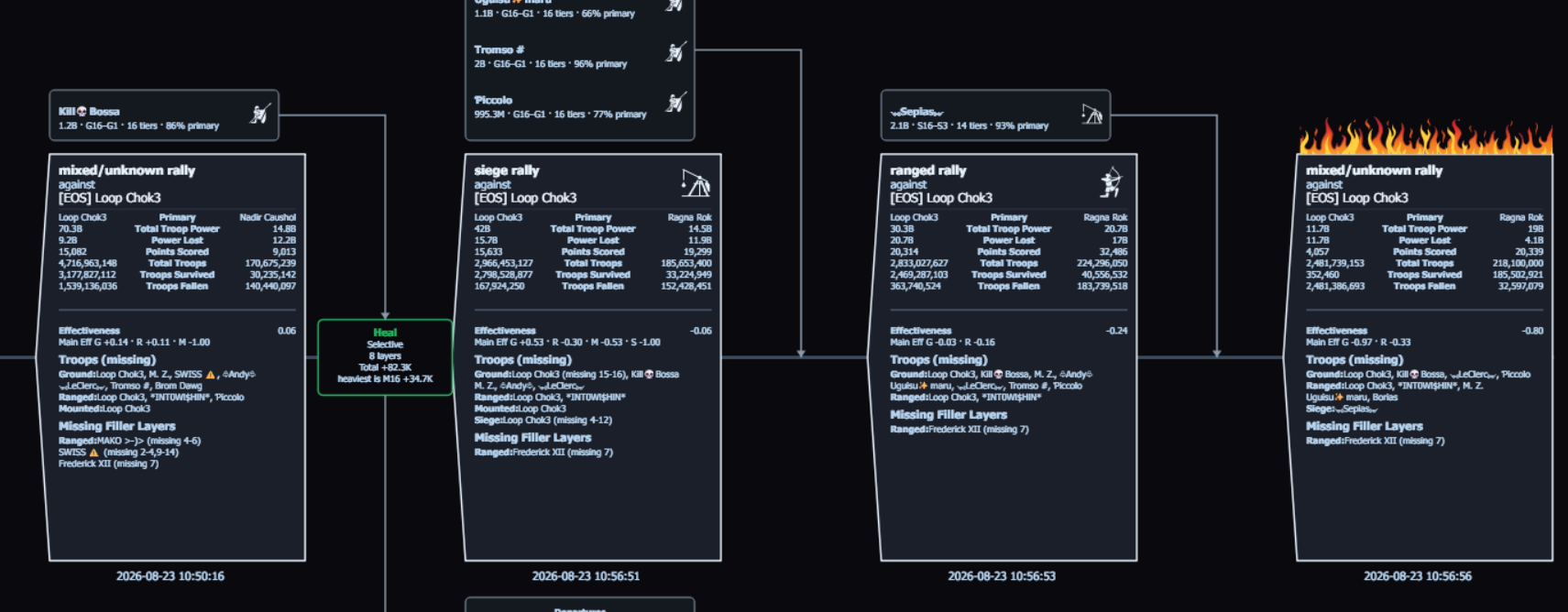
Then you still ask the next question on that focus.
Honesty
- One battlefield at a time.
- Minutes, not instant-or-weekend.
- Better when more of that event is in the library.
- Your reports stay in Tactica; the Analyst runs in Tactica’s systems.
- No CSV/JSON dump of the library.
This page assumes the reports are already in. Yours may not be.
The loop above — focus, summary, then your question — only runs on a structured battlefield library. If you want that teammate-defense sequence (or any other closer look) after your next event, install Tactica, Fast Read the favorited mailbox, then open the Analyst.
New customers can start with a 7-day trial and begin reading reports within minutes. Plans start at $14.99/month with full feature access.