After-action review after an Evony battlefield
A battlefield is dozens or hundreds of fights, and the hour right after it is when your team most wants to know what actually happened in them. With Fast Read, getting that event into Tactica and asking Battlefield Analyst about it can be a 10–20 minute ritual — while the team still remembers what happened.
Why do this immediately
The questions a team actually wants answered have a short shelf life. An hour after the fight, everyone still knows which rally they are arguing about and whose city kept getting hit. Two days later the argument is gone, and with it the reason to look.
Reading two or three reports later is not a review of the event. The useful questions — a team’s rallies, a keep that kept falling, reins that were already dust — are easier to ask when the fight is still in people’s heads. Fast Read is what makes that clock realistic: hundreds of full favorited reports in minutes, not days of walking every screen.
1. Favorite the reports you want to review
Right after the battlefield, favorite the reports you care about. Evony shows favorited reports in Saved, and that is the mailbox Fast Read reads.
2. Open Tactica and MuMu for Fast Read
Launch Tactica and a MuMu Player (official site) instance with the Evony account that holds those favorited reports. Fast Read does not work on BlueStacks. A dedicated MuMu instance just for Fast Read is enough, even if you normally play on another emulator. Read and Bulk Read work with any ADB-compatible Android emulator. Tactica does not sell or support the emulator.
3. Fast Read the favorited reports
Use Fast Read to import the favorited reports. After the first-time setup, a battlefield pass is typically 5–10 minutes. Keep Tactica open until it finishes. Capture can miss some; run Fast Read again and it continues without duplicates.
A rally setter is in every rally they set. If that account favorites those reports, they can bring the team’s rallies into Tactica — the reports that account actually received and favorited, not a magic pull from other players’ mail.
4. The team asks Battlefield Analyst while it is fresh
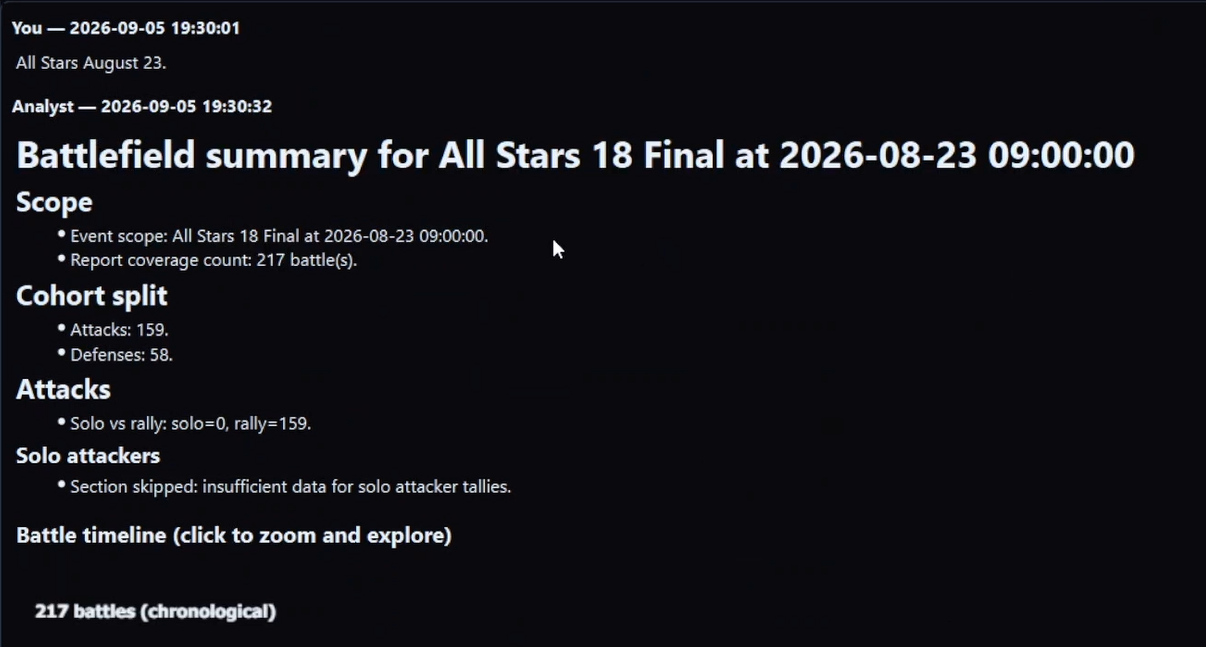
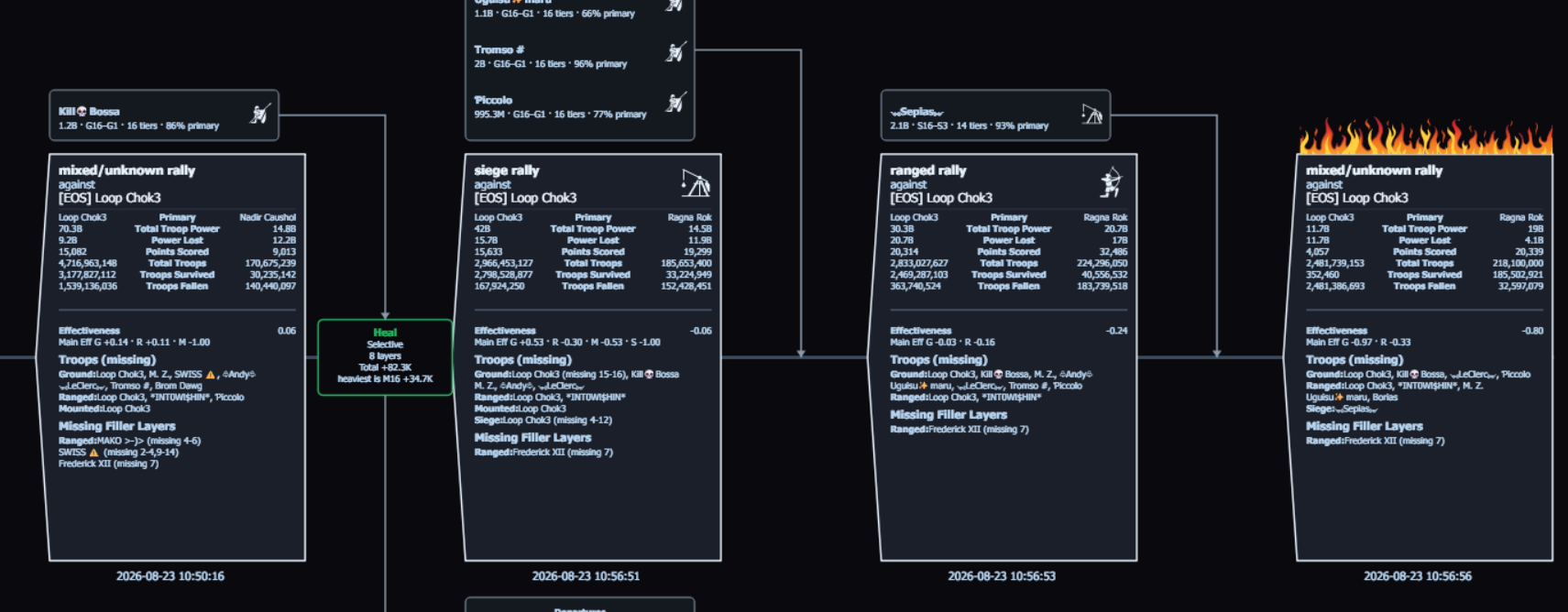
Once the battlefield is in the shared library, the team logs into Tactica and asks Battlefield Analyst about what just happened — in plain language, one battlefield at a time. The first summary is the map of what to look at more closely — treat it as a door, not the analysis; then you ask for that closer look — a hit-sequence timeline on a keep you tore down, a teammate who got hit repeatedly, or another slice. Chat is how you ask; Battlefield Analyst is the product. Analysis still takes only minutes.
Teammates who do not import do not need an emulator. Alliance view-only is $2.49/month. Rally Squad is 10 seats for $17.99/month — about 28% less than ten individual $2.49 seats ($24.90). View-only and Rally Squad seats use the shared library and notes; bringing new reports in still requires a full subscription.
That is the after-action path: favorite → Fast Read → ask, while the event is still fresh. For why one isolated report is the wrong unit of analysis, see why one Evony battle report is not enough. For import options and Analyst workflow, see how to analyze hundreds of Evony battle reports.
What did your team never find out about the last one?
Install Tactica now, then import the reports and investigate the event when your next battlefield ends — while there is still an argument worth settling.
New customers can start with a 7-day trial and begin reading reports within minutes. Plans start at $14.99/month with full feature access; higher-usage plans are available.
Evony keep hit-sequence timeline · Why one Evony battle report is not enough · What is Fast Read? · FAQ · How to analyze hundreds of Evony battle reports · Battlefield Analyst cookbook · Download Tactica