Why one Evony battle report is not enough
You have every report from the event. You have only ever been able to read them one at a time. The trees are a single fight: matchup, buffs, layers, who killed whom, the exchange. The forest is the battlefield — or a slice of it — and it holds answers that no individual report can give up, no matter how carefully you read it.
How do I analyze an Evony battle report?
Start with what the report actually contains, not the win/loss banner. Troop composition and tiers, generals, buffs and debuffs, casualties by layer, and the exchange matter more than displayed power. That reading is real work. It is also only one battle.
The useful next question is not “did I read this report thoroughly?” It is “what does this fight look like next to the rest of the event?” A surprising result in one report can be luck, a one-off march, or a teammate who was already depleted. You cannot tell which from a single screen.
A battlefield is not one battle
A battlefield is a two-hour event with dozens or even hundreds of individual battles. Each one produces a report with main, buffs, and details spread across multiple screens. Treating “analyze an Evony battle report” as a one-fight homework assignment is how most of that event gets written off.
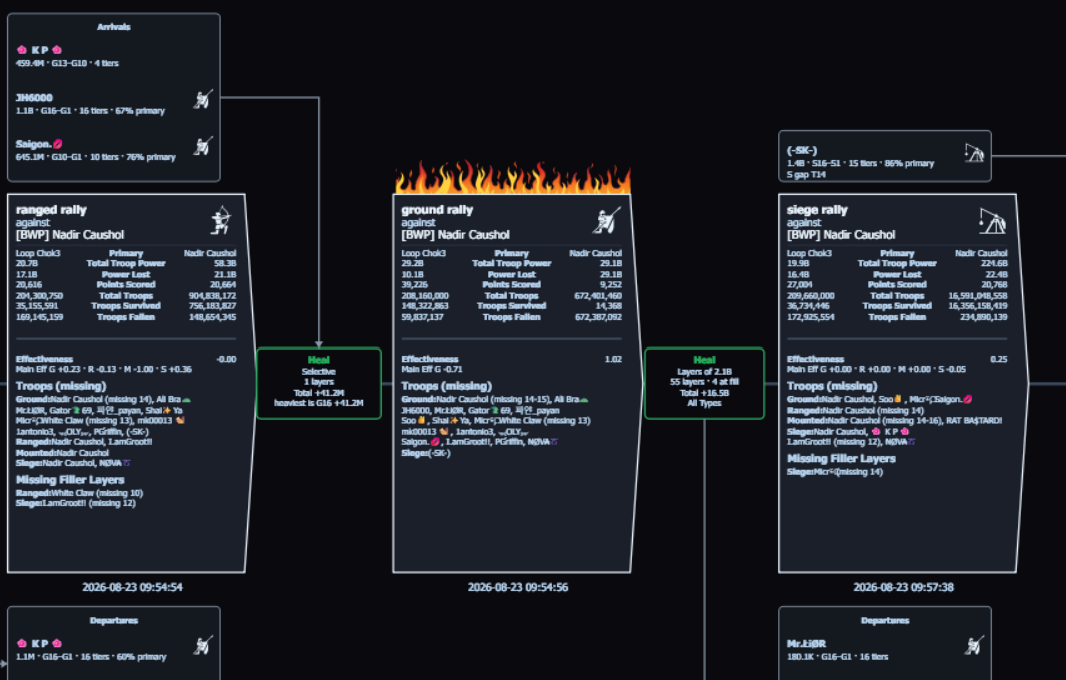
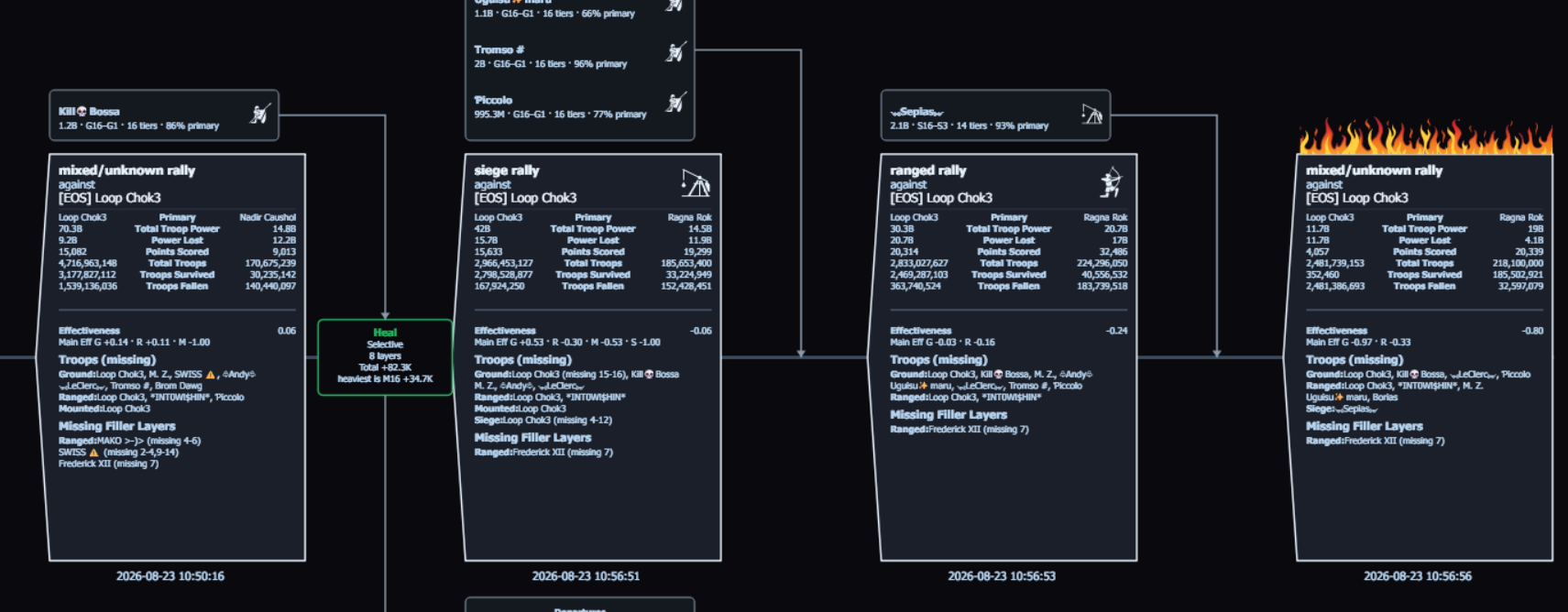
The vantage changes when the unit of analysis is the event — or a slice of the event — instead of the isolated report. Then you are no longer explaining one outcome. You are seeing how a team, a troop type, or a player actually behaved for two hours. In Tactica that forest starts as the first battlefield summary: what is worth a closer look. Then Battlefield Analyst builds that closer look — a hit-sequence timeline on a keep you tore down, a teammate who got hit repeatedly, or another slice.
Start with the whole battlefield. Drill into the battles that matter.
Tactica imports reports into a structured battlefield library. Battlefield Analyst identifies patterns across the event while keeping every imported battle available for closer inspection.
New customers can start with a 7-day trial. Plans start at $14.99/month with full feature access.
Looking at one report in isolation
One report cannot tell you whether a troop type kept trading well, or only won once. It cannot tell you whether a keep held because the march was sound or because the incoming attacks were weak. It cannot show every reinforcement movement in and out of a city, or when someone swapped depleted reins for fresh ones. Those answers live in the body of reports from the same battlefield.
Pasting two screenshots into a general AI is the same isolation, with a summary on top. You still have one fight, not the event.
A team’s ranged rallies, a player’s defenses
The forest is not only “all reports.” It is also a slice you choose:
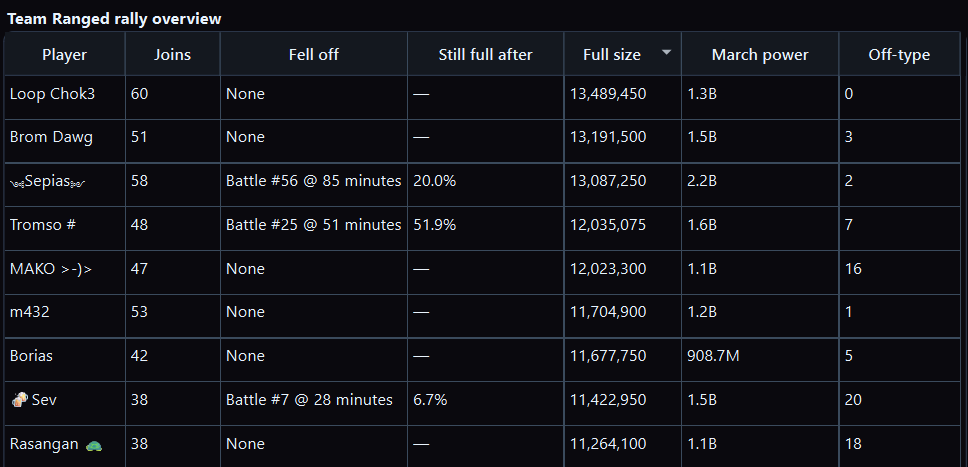
- A team’s ranged rallies across the battlefield — not one rally card.
- One player’s defenses — incoming attacks, healing, and every rein in or out of that city.
- Full rally joins versus dust on the same kinds of targets.
- A troop-type or tier slice: what those troops returned relative to what they put at risk, not what the scoreboard showed for one fight.
Those slices are how you develop the account and the next event’s plan. You see what held, what cracked, and which trades repeated. A single report cannot give you that vantage. Effectiveness is one example of a slice metric the in-game scoreboard does not show: return versus what those troops put at risk, across the fights you actually loaded.
From one report to the body of data
That body of reports was always in the mailbox. What was missing was any way to use it as one record without a job nobody finishes.
Tactica is a Windows desktop application that imports Evony battle reports into a structured library for one battlefield at a time. Fast Read can import hundreds of full reports you favorited in Evony on MuMu in minutes; Read / Bulk Read works with any ADB-compatible Android emulator and walks each report. Then Tactica’s Battlefield Analyst runs custom analysis over that loaded battlefield — a team’s rallies, a player’s defenses, or another slice you specify in plain language. Chat is how you ask; Battlefield Analyst is the product. Analysis is one battlefield at a time. Depth scales with how complete that battlefield’s report set is.
That is Evony battle report analysis aimed at the forest. For the import path and the Analyst workflow, see how to analyze hundreds of Evony battle reports. For the keep tear-down view, see the hit-sequence timeline.
Which of these could you not answer about your last event?
Every one of them is a question about reports you already have. The trial is how you put them together and ask.
New customers can start with a 7-day trial and begin reading reports within minutes. Plans start at $14.99/month with full feature access; higher-usage plans are available.
Evony keep hit-sequence timeline · After-action review after a battlefield · How to analyze hundreds of Evony battle reports · What is Fast Read? · FAQ · How to measure Evony troop Effectiveness · Battlefield Analyst cookbook · Download Tactica